WinDirStat alternatives: 50 disk space analyzers compared by type
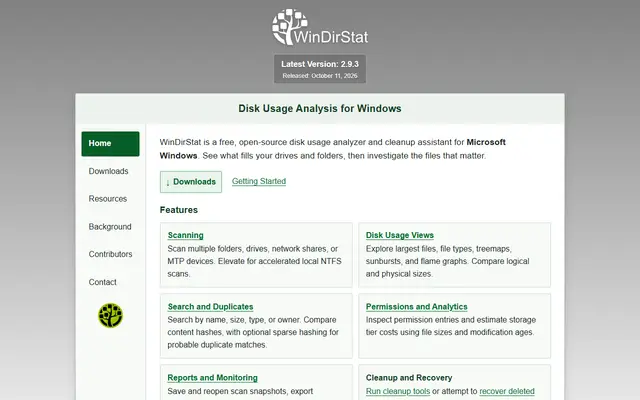
WinDirStat is a free, open-source disk space analyzer for Windows that draws a treemap of what is using your drives. According to the public data behind this directory, the project was founded in 2003, and its domain sits at Majestic rank 30217 and Tranco rank 117263. It does not list a headquarters country. Our data also notes that the project is alive, with 2.x releases since October 2024, and that WinDirStat itself is not part of the list below.
This page lists 50 alternatives and sorts them into seven types: direct competitors, free utilities, open-source projects, self-hosted web tools, built-in operating system and NAS features, adjacent tools and do-it-yourself scripts. People leave a disk analyzer for different reasons: speed on huge drives, a Mac or Linux version, a command-line tool for servers over SSH, or a web interface for a NAS. Each type answers one of those needs.
Everything here rests on public sources reviewed in November 2026. We did not run hands-on trials and we do not publish benchmarks or prices, because they change and are not part of our data. Of the 50 entries, 36 were seen in our search review and 14 are unconfirmed. Use this page to build a shortlist, then check each project's current release and licence. The wider category hub shows how this directory files the page.
WinDirStat is available at windirstat.net. Public records list WinDirStat as founded in 2003. Its domain ranks #30,217 in the Majestic Million, a free public list of the most-linked-to domains on the web. Its domain ranks #117,263 in the Tranco list of the most visited domains.
This page lists 50 alternatives to WinDirStat, spread across 7 types: direct (12), free (5), open source (17), self-hosted (5), built-in (5), adjacent (5), diy (1).
36 of the 50 entries were seen in live web search results during our November 2026 review; the remaining entries are labelled unconfirmed so you know where extra checking is needed.
- Direct: 12 (24%)
- Free: 5 (10%)
- Open source: 17 (34%)
- Self-hosted: 5 (10%)
- Built-in: 5 (10%)
- Adjacent: 5 (10%)
- DIY: 1 (2%)
36 of 49 entries (73%) were seen in live search results during our review; the rest are labelled “unconfirmed” and should be checked on the vendor site.
Quick comparison: the closest alternatives to WinDirStat
| Site | Name | Type | Founded | Majestic rank | Check |
|---|---|---|---|---|---|
 | WizTree | Direct | n/a | #79,415 | seen in search |
 | TreeSize | Direct | n/a | #32,565 | seen in search |
| SpaceSniffer | Direct | n/a | n/a | seen in search | |
 | FolderSizes | Direct | n/a | #709,310 | seen in search |
| JDiskReport | Direct | n/a | n/a | seen in search |
What is WinDirStat and why do people look for alternatives?
WinDirStat is a free, open-source tool that scans a drive and shows files as coloured rectangles sized by how much space they take, so large folders stand out at once. Our data records a founding year of 2003. The same notes say the project is alive: since October 2024 it has shipped version 2.x releases, with 2.0.1 and 2.2.0 named and a news site mentioning 2.7.0 and 2.8.0, and it is distributed through GitHub, winget, Chocolatey, Scoop and the Microsoft Store. SourceForge is marked as outdated, and a version number from an online encyclopedia could not be confirmed.
So why compare? The first reason is platform. WinDirStat runs on Windows, while people on macOS and Linux want something native, and many Windows users want a command-line tool they can run on a server. The second is speed. Scanning a large drive with several million files can take a long time with a traditional crawl, and some tools read the file table directly to finish faster. Our data describes WizTree this way for NTFS volumes.
Other reasons are practical. Some users want to scan network or remote drives, others want a web interface that lives on a NAS, and some want an indexed database that can be searched later. Administrators of headless servers need a text interface over SSH. And a few people simply find that built-in storage settings already tell them what they need without installing anything.
The sections below explain how we compiled the list, how to choose, and how to switch tools safely. For adjacent system tools, see the pages for SolarWinds and ManageEngine.
How we built this list
The list was compiled in November 2026 from public sources only: the Majestic Million ranking for domain prominence, the Tranco list, Wikidata for founding years and headquarters, and a manual review of public web search results to see which tools are presented as substitutes for WinDirStat. The methodology page gives licences and limits.
Each entry has one of two statuses. Seen in search means the tool was described as an alternative in public results during the review. Unconfirmed means it appears in our source data but we could not match it in that review; such entries are shown for completeness and never offered as a top pick. Of the 50 entries here, 36 were seen in search and 14 are unconfirmed. We group entries into types because a Windows treemap, a Linux terminal tool and a Docker web app are different answers. Start with direct alternatives and open-source alternatives. We do not rank by quality or accept payment for inclusion.
How to choose a WinDirStat alternative
Begin with the operating system and the place where the files live. A Windows desktop, a Mac, a Linux workstation, a remote server and a NAS each call for a different kind of tool. Then decide how you prefer to read the result: a treemap of rectangles, a sunburst of rings, a sorted list or a text tree. Visual maps are quickest for finding one huge file, while lists and trees are better for reports and for scripts.
Next, consider scale and speed. A laptop with a few hundred thousand files is fine with any tool, but a file server with millions of items rewards tools that read the file table directly, scan in parallel or build an index you can query later. Also think about permissions: scanning system folders or other users' files may need administrator rights, and some tools handle that better than others.
Finally, think about maintenance and licence. Open-source tools show their activity on public repositories, while paid products offer support. Check whether a tool is still updated and whether it works with your current system release. Read our guides to free alternatives and self-hosted alternatives if either applies. These are the criteria worth weighing:
- Platform: Windows, macOS, Linux, server or NAS, matched to where the disk actually lives.
- Display: treemap, sunburst, list or text tree, depending on how you read results.
- Speed on large volumes: direct file-table reading, parallel scanning or indexing.
- Remote and network drives: support for scanning shares, servers or NAS volumes.
- Cleanup features: whether you can delete or open files from the tool or only look.
- Licence and cost: free, open source or paid, and whether there is a trial.
- Maintenance: recent releases and a working install route such as a package manager.
Quick picks by situation
If you stay on Windows and want a like-for-like swap, look at WizTree, which our data describes as very fast because it reads the NTFS file table, TreeSize, which has a free edition and handles network and remote drives, and SpaceSniffer for a clear treemap. FolderSizes is paid with a 14-day trial. For Mac, DaisyDisk and DriveScape are paid and use sunburst charts, GrandPerspective is a free treemap, and Disk Inventory X is a free tool inspired by WinDirStat.
If you manage Linux or servers, the open-source group is rich. QDirStat is called the closest clone and is MIT-licensed, Baobab ships with GNOME, and Filelight draws interactive circles in KDE. Over SSH, ncdu and gdu are terminal tools, dust and dua-cli are Rust command-line tools, and duc builds an index for very large trees. For a NAS, Synology Storage Analyzer is built in, and a Docker web treemap exists for other setups.
If you want to avoid installing anything, the free group has Folder Size and OmniDiskSweeper, while Windows and macOS include storage settings that sort by category without a treemap. For duplicate hunting rather than space maps, Czkawka is listed as an adjacent option. See the Datadog page and the PRTG page for monitoring-oriented comparisons.
All 50 alternatives to WinDirStat by type
Direct alternatives to WinDirStat (12)
Products that solve the same core problem for the same kind of buyer. Switching usually means moving data and retraining people, not changing how you work. For WinDirStat, this list contains 12 entries in this group, including WizTree, TreeSize, SpaceSniffer, FolderSizes and JDiskReport. See all direct alternatives across every product →
Choosing among direct alternatives to WinDirStat
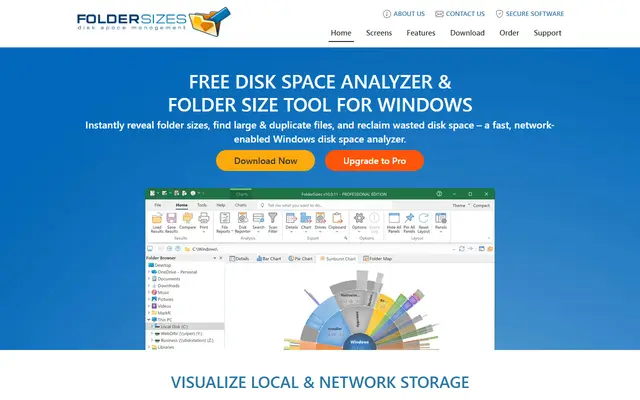
Direct alternatives are desktop analyzers with a similar purpose. Our data lists twelve. For Windows: WizTree, TreeSize, SpaceSniffer, FolderSizes, Disk Savvy and Disk Space Fan, all seen in search, and SpaceMonger, an older treemap tool that is unconfirmed. JDiskReport is a Java tool. For macOS: DaisyDisk (founded 2008), DriveScape, Klarity and MacDirStat, the last named in a directory with details unchecked. Our data notes that FolderSizes is paid with a trial, and that DaisyDisk, DriveScape and Klarity are paid. Read the direct hub and pick by operating system first, then by speed. If you do not know which to try, TreeSize and WizTree are the two Windows names with the most public prominence in our data.
| Site | Name | Type | Founded | Majestic rank | Check |
|---|---|---|---|---|---|
| WizTree | Direct | n/a | #79,415 | seen in search |
| TreeSize | Direct | n/a | #32,565 | seen in search |
| SpaceSniffer | Direct | n/a | n/a | seen in search | |
| FolderSizes | Direct | n/a | #709,310 | seen in search |
| JDiskReport | Direct | n/a | n/a | seen in search | |
| Disk Savvy | Direct | n/a | n/a | seen in search | |
| Disk Space Fan | Direct | n/a | n/a | seen in search | |
 | DaisyDisk | Direct | 2008 | #97,044 | seen in search |
| DriveScape | Direct | n/a | n/a | seen in search | |
| Klarity | Direct | n/a | n/a | seen in search | |
| MacDirStat | Direct | n/a | n/a | seen in search | |
| SpaceMonger | Direct | n/a | n/a | unconfirmed |
Free options to WinDirStat (5)
Tools with a free plan or free access that is usable on its own. Limits on volume, users or history usually apply, so check them before you commit. For WinDirStat, this list contains 5 entries in this group, including Folder Size, OmniDiskSweeper, Scanner, RidNacs and Sysinternals DU. See all free alternatives across every product →
Choosing among free alternatives to WinDirStat
Free utilities are lightweight and need no install effort. Our data lists five. Seen in search: Folder Size, a light tool for Windows and others, and OmniDiskSweeper, a simple macOS list sorted by size. Unconfirmed: Scanner, a Windows sunburst tool, RidNacs, a light Windows tool, and Sysinternals DU, a command-line utility from Microsoft. They suit a one-off check. Verify each one's current download source and see the free hub. Free here means no licence fee; always confirm the tool is still updated and that your download comes from the project's own page.

Open-source alternatives to WinDirStat (17)
Projects whose source code is public. You can inspect, modify and often self-host them, at the price of doing more of the maintenance yourself. For WinDirStat, this list contains 17 entries in this group, including QDirStat, Baobab, Filelight, K4DirStat and GDMap. See all open source alternatives across every product →
Choosing among open-source alternatives to WinDirStat
Open-source tools are the largest group, with seventeen entries. Graphical: QDirStat for Linux, Baobab for GNOME, Filelight for KDE, K4DirStat, GDMap, SquirrelDisk for Windows, macOS and Linux, Disk Inventory X and GrandPerspective for macOS. Terminal: ncdu, gdu, dust, dua-cli, duc, pdu and diskus, with xdiskusage and erdtree unconfirmed. The gdu project's benchmark is cited as showing diskus and pdu as fast. Pick graphical for a desktop and terminal for servers. See the open-source hub. For a first try on Linux, QDirStat gives the familiar treemap view, while ncdu is the usual choice when only a terminal is available.
| Site | Name | Type | Founded | Majestic rank | Check |
|---|---|---|---|---|---|
| QDirStat | Open source | n/a | n/a | seen in search | |
| Baobab | Open source | n/a | n/a | seen in search | |
| Filelight | Open source | n/a | n/a | seen in search | |
| K4DirStat | Open source | n/a | n/a | seen in search | |
| GDMap | Open source | n/a | n/a | seen in search | |
| SquirrelDisk | Open source | n/a | n/a | seen in search | |
| Disk Inventory X | Open source | n/a | n/a | seen in search | |
| GrandPerspective | Open source | n/a | n/a | seen in search | |
| xdiskusage | Open source | n/a | n/a | unconfirmed | |
 | ncdu | Open source | n/a | n/a | seen in search |
| gdu | Open source | n/a | n/a | seen in search | |
| dust | Open source | n/a | n/a | seen in search | |
| dua-cli | Open source | n/a | n/a | seen in search | |
| duc | Open source | n/a | n/a | seen in search | |
| pdu | Open source | n/a | n/a | seen in search | |
| diskus | Open source | n/a | n/a | seen in search | |
| erdtree | Open source | n/a | n/a | unconfirmed |
Self-hosted alternatives to WinDirStat (5)
Software you run on your own server or computer. You keep control of the data and the uptime, and you take on updates, backups and security. For WinDirStat, this list contains 5 entries in this group, including caco3 storage-analyzer, treewyrm webdirstat, Sloy disk-usage, QDirStat in a LinuxServer.io container and Diskover. See all self-hosted alternatives across every product →
Choosing among self-hosted alternatives to WinDirStat
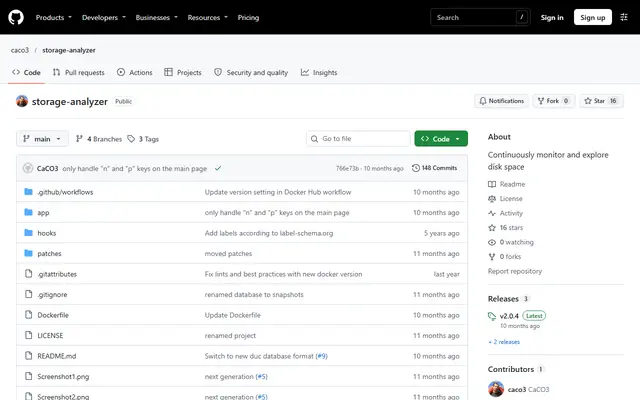
Self-hosted tools run as a web service, often in Docker. Our data names five. Seen in search: the caco3 storage-analyzer, a web interface built on duc similar to the Synology tool, treewyrm webdirstat, a web treemap in the WinDirStat style, Sloy disk-usage, with a donut chart and file list, and QDirStat in a LinuxServer.io container for a NAS. Diskover, a file indexer with search, is unconfirmed. See the self-hosted hub. These suit a home server or NAS where you want to open a page in a browser instead of installing software on each computer.
| Site | Name | Type | Founded | Majestic rank | Check |
|---|---|---|---|---|---|
 | caco3 storage-analyzer | Self-hosted | n/a | n/a | seen in search |
| treewyrm webdirstat | Self-hosted | n/a | n/a | seen in search | |
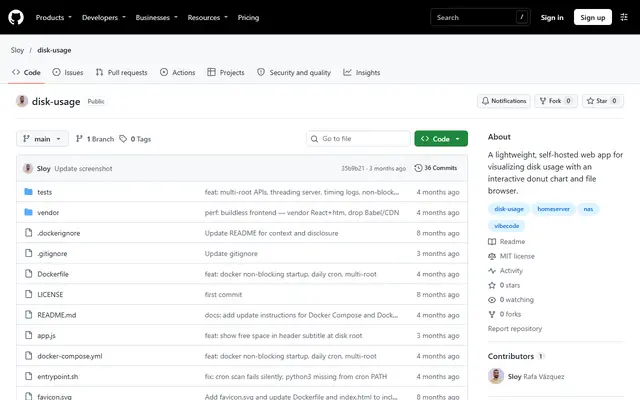 | Sloy disk-usage | Self-hosted | n/a | n/a | seen in search |
| QDirStat in a LinuxServer.io container | Self-hosted | n/a | n/a | seen in search | |
| Diskover | Self-hosted | n/a | n/a | unconfirmed |
Built-in features of platforms you already use to WinDirStat (5)
Capabilities that already ship inside a suite or platform you pay for. They rarely match a specialist tool feature for feature, but they cost nothing extra. For WinDirStat, this list contains 5 entries in this group, including Synology Storage Analyzer, Unraid: Disk Usage plugin (duc), Windows: Settings, Storage, macOS: Manage Storage and GNU du. See all built-in alternatives across every product →
Choosing among built-in alternatives to WinDirStat
Built-in options need no extra install. Our data lists five. Seen in search: Synology Storage Analyzer, found in DSM with reports per volume, and an Unraid Disk Usage plugin that uses duc for scheduled indexing. Unconfirmed: Windows Settings Storage and macOS Manage Storage, both showing categories without a treemap, and GNU du, the basic coreutils command. They are good for a quick answer. See the built-in hub. Their limit is detail: category totals will not show you the one forgotten download folder that holds fifty gigabytes.
| Site | Name | Type | Founded | Majestic rank | Check |
|---|---|---|---|---|---|
 | Synology Storage Analyzer | Built-in | 2000 | #2,860 | seen in search |
| Unraid: Disk Usage plugin (duc) | Built-in | n/a | n/a | seen in search | |
| Windows: Settings, Storage | Built-in | n/a | n/a | unconfirmed | |
| macOS: Manage Storage | Built-in | n/a | n/a | unconfirmed | |
| GNU du | Built-in | n/a | n/a | unconfirmed |
Adjacent tools to WinDirStat (5)
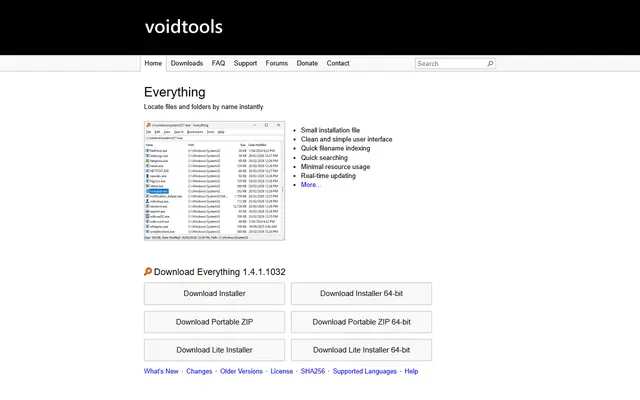
Products that cover part of the job or approach it from another angle. Useful when you only need a slice of the original product. For WinDirStat, this list contains 5 entries in this group, including Czkawka, EaseUS Partition Master, Everything, CleanMyMac Space Lens and du -h --max-depth=1 \. See all adjacent alternatives across every product →
Choosing among adjacent alternatives to WinDirStat
Adjacent tools solve a nearby problem. Our data lists five. Seen in search: Czkawka, a duplicate finder, not a disk map, and EaseUS Partition Master, a partition manager that also analyses space. Unconfirmed: Everything, a fast file search that can sort by size, CleanMyMac Space Lens, a macOS cleaner with a space map, and the du command with a depth limit. See the adjacent hub. Use them when your real aim is finding duplicates, searching quickly or managing partitions, not drawing a map of folder sizes.

DIY and self-made approaches to WinDirStat (1)
Spreadsheets, scripts and workflows you assemble yourself. Cheap and flexible for small needs, but they depend on whoever built them. For WinDirStat, this list contains 1 entry in this group, including PowerShell Get-ChildItem with Measure-Object. See all diy alternatives across every product →
Choosing among DIY alternatives to WinDirStat
DIY means writing your own summary. Our data lists one, unconfirmed in our review: a PowerShell script using Get-ChildItem with Measure-Object to total folder sizes. It suits scheduled reports and servers without a graphical session, but it gives you numbers, not a map, and you maintain the script. See the DIY hub and compare with the managed route on the PRTG page. Combined with a scheduled task, it can email a weekly list of the biggest folders without anyone opening a program.
| Site | Name | Type | Founded | Majestic rank | Check |
|---|---|---|---|---|---|
| PowerShell Get-ChildItem with Measure-Object | DIY | n/a | n/a | unconfirmed |
Migration checklist: moving away from WinDirStat
Changing a disk analyzer is low risk, because the tool only reads your files. Still, a few habits make it smoother. Decide what job the tool does for you: one-off clean-ups, regular reports or capacity planning on servers. Install the candidate beside WinDirStat and scan the same folder with both, then compare the largest items they report.
Be careful with any tool that offers to delete files. Use a test folder first, understand where deleted items go, and keep backups of anything important. If you switch to a command-line or web tool, write down the commands or URLs your team will use. For servers, check permissions and performance impact before scanning production volumes during busy hours.
- Define the job: one-off clean-up, scheduled report or capacity planning.
- Install the candidate beside WinDirStat and scan the same folder with both.
- Compare the largest files and folders each tool reports.
- Test delete or recycle behaviour on a throwaway folder before using it for real.
- Check administrator rights needed for system folders and network shares.
- Document commands, URLs and schedules for servers and shared tools.
- Verify the install route, such as a package manager, and the update path.
- Keep WinDirStat available until the new tool has handled a full scan.
Mistakes to avoid when switching
The most common error is deleting based on a picture. A treemap shows size, not importance, so a huge file may be a database, a virtual machine or a backup that something depends on. Check what a file is before removing it, and prefer moving to a recycle location first.
Another error is picking by looks. A tool that draws well may be slow on a large volume, while a fast terminal tool may not suit a colleague who prefers pictures. Finally, treat unconfirmed entries with care: 14 of the 50 here could not be matched in our search review, so verify the download source and that the project is active before installing. For monitoring tools, see the SolarWinds page.
- Deleting a large file without checking what depends on it.
- Choosing by chart style without testing speed on your biggest drive.
- Scanning production servers during peak hours.
- Installing from an unofficial download page for a lesser-known tool.
- Forgetting permissions, so protected folders appear smaller than they are.
- Relying on an unconfirmed entry without checking it is still maintained.
What the public data says about these alternatives
Our data contains 50 alternatives, of which 36 were seen in search and 14 are unconfirmed. By type, the largest groups are open-source (17) and direct (12), followed by free (5), self-hosted (5), built-in (5), adjacent (5) and DIY (1). Most open-source entries have no domain-level numbers, which is common for small projects hosted on code platforms.
WinDirStat was founded in 2003 and has a Majestic rank of 30217 and a Tranco rank of 117263. Among the alternatives with ranks, Sysinternals DU sits at 174, Synology Storage Analyzer at 2860, EaseUS Partition Master at 5898 and Everything at 10666, while TreeSize is at 32565 and WizTree at 79415. At the other end, FolderSizes is at 709,310. Where years are known, Synology is listed with 2000, EaseUS with 2004 and DaisyDisk with 2008. Countries are partial: Taiwan and China each appear once. Treat these as signals about prominence and origin, not quality. The methodology page explains each source.
Frequently asked questions
What is the best free alternative to WinDirStat?
Our data lists several free tools. On Windows, Folder Size is a light option and TreeSize has a free edition. On Mac, GrandPerspective and OmniDiskSweeper are free. On Linux, QDirStat, Baobab and Filelight are open source. Check each project's current release before installing. Check the current download page and release notes first.
Is there an open-source alternative to WinDirStat?
Yes, and it is the largest group in our data, with seventeen entries. QDirStat is called the closest clone and is MIT-licensed. Baobab, Filelight, SquirrelDisk, Disk Inventory X and GrandPerspective are graphical, and ncdu, gdu, dust and dua-cli run in a terminal. Check the current download page and release notes first.
Which tool is fastest on a large drive?
Our data describes WizTree as very fast on Windows because it reads the NTFS file table. For terminals, a benchmark cited in our data for gdu names diskus and pdu as fast. Speed depends on your drive and file count, so test on your own data.
What is a WinDirStat alternative for Mac?
Our data lists DaisyDisk, DriveScape and Klarity, which are paid, and GrandPerspective, Disk Inventory X and OmniDiskSweeper, which are free. Disk Inventory X was inspired by WinDirStat. CleanMyMac Space Lens is listed too but unconfirmed. Check the current download page and release notes first. Test on a copy first.
What can I use on a server over SSH?
Terminal tools suit headless servers. Our data lists ncdu and gdu as text interfaces, dust, dua-cli, pdu and diskus as Rust command-line tools, and duc for indexing large trees. Sysinternals DU is a Windows command-line tool but unconfirmed in our review. Check the current download page and release notes first.
Can I analyse disk usage on a NAS?
Yes. Synology Storage Analyzer is built into DSM with reports per volume, and an Unraid plugin uses duc for scheduled indexing. Docker options include the caco3 storage-analyzer, treewyrm webdirstat and QDirStat in a LinuxServer.io container. Check the current download page and release notes first. Test on a copy first.
Is WinDirStat still maintained?
Our data says the project is alive, with 2.x releases since October 2024, distribution through GitHub, winget, Chocolatey, Scoop and the Microsoft Store, and SourceForge marked as outdated. A newer version number cited by an encyclopedia could not be confirmed. Check the current download page and release notes first.
Do I need a tool at all?
For a quick answer, built-in storage settings on Windows and macOS sort space by category, and the du command works on Unix systems, though those entries are unconfirmed in our review. A treemap tool is better for finding one large folder in a deep tree.
Bottom line
WinDirStat remains an active project according to our data, so the reasons to look elsewhere are specific: you want another platform, a faster scan of a huge volume, a terminal tool for servers, a web interface on a NAS, or an indexed database you can search later. Match the type to the reason and the shortlist shrinks quickly.
For most people the practical path is a short list of three: one direct tool for your operating system such as WizTree, TreeSize or DaisyDisk, one open-source tool such as QDirStat or ncdu, and the built-in storage settings as a baseline. Scan the same folder with each and compare the largest items. Entries marked unconfirmed need extra care. Continue with the Datadog page or the category hub.
More alternatives pages related to WinDirStat

Explore more in Data, Proxies & Utilities
Web data collection, proxy networks and system utilities. Browse the full Data, Proxies & Utilities hub, or jump to a related comparison: Bright Data.