Customer Support & Messaging: alternatives to the main help desk and inbox tools
Customer support software looks like one market from a distance, but it is really several. A ticketing help desk, a shared team inbox, a live chat widget and a WhatsApp-first messaging platform all answer the same complaint, which is that customers write in and somebody has to reply, yet they are built around different habits. This hub gathers seven products from that space and links to a full alternatives guide for each of them.
Our data holds 50 alternatives for every product on this page, which adds up to 350 entries across the seven guides. They are sorted into ten types: direct, budget-friendly, free, enterprise-grade, open-source, self-hosted, regional, built-in, adjacent and DIY. The same names recur, so a few tools such as Chatwoot, FreeScout, Missive, Zoho Desk, Crisp and Zammad show up in six or seven of the guides at once. That overlap is itself a useful signal about which options people compare most often.
Everything below is based on public sources reviewed in November 2026. We did not run hands-on trials, and we do not state prices or feature tables, because those change and are not part of our data. Use the page to understand the shape of the market and to pick a short list, then confirm plans and limits on each vendor's own site. The methodology page explains how entries were collected and what the labels mean.
- Direct: 59 (24%)
- Budget: 17 (7%)
- Free: 9 (4%)
- Enterprise: 21 (8%)
- Open source: 38 (15%)
- Self-hosted: 7 (3%)
- Regional: 52 (21%)
- Built-in: 14 (6%)
- Adjacent: 25 (10%)
- DIY: 8 (3%)
Customer Support & Messaging guides: pick the product you want to replace
The customer support and messaging category at a glance
Software in this category exists to turn incoming customer messages into work that a team can share, track and finish. The oldest pattern is the ticketing help desk, where every email or form submission becomes a numbered ticket with an owner, a status and a history. Newer patterns put the conversation first: a shared inbox that looks like email but lets several people collaborate, a chat widget on a website, or a messaging platform built on WhatsApp and similar channels.
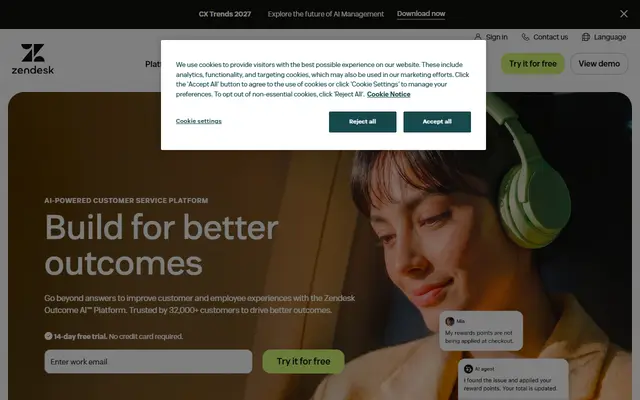
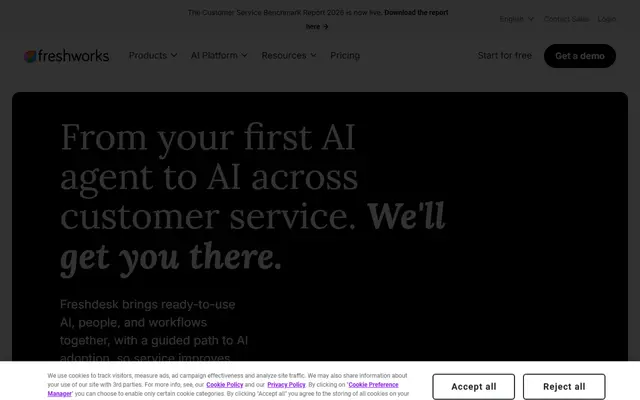
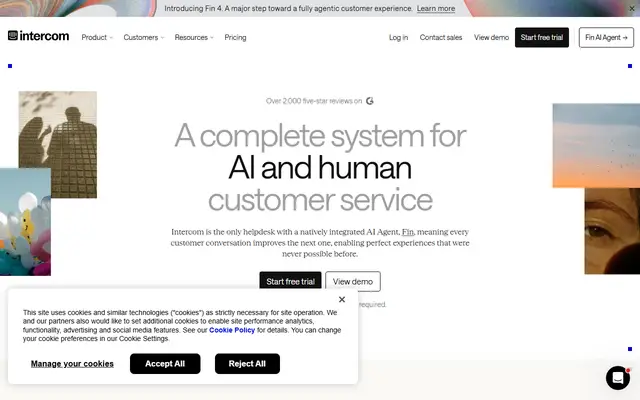
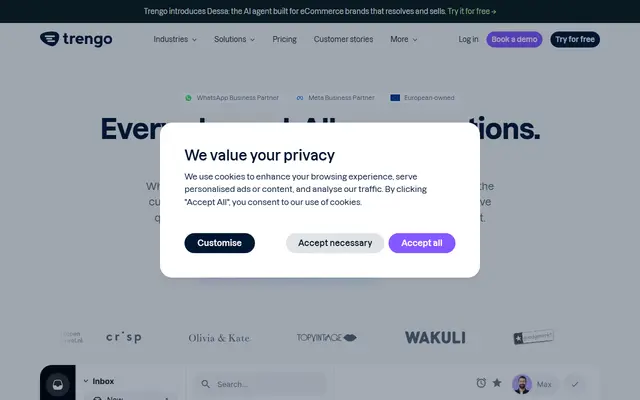
The seven products here sit at different points on that spectrum. Zendesk and Freshdesk are classic help desks that have added chat, voice and AI agents. Help Scout and Front lean toward an email-like experience for small and mid-sized teams. Intercom is described in our data with an emphasis on its AI agent. Trengo and SleekFlow are omnichannel inboxes built around messaging apps. Knowing which pattern you actually need is the quickest way to narrow the field.
Most teams also decide how much of the surrounding stack they want from one vendor. Some prefer a help desk tied to their CRM, as with Pipedrive or the wider CRM and sales category. Others want the support tool to stay separate and plug in through integrations. A third group wants the telephony side handled by a specialist, which is covered in the telephony and communication category.
How to choose a customer support tool
Begin with channels. List where customers actually reach you today: email, a website chat window, WhatsApp, Instagram, a phone line. A product that is strong on email may be awkward for messaging, and the reverse is also true. Then count the people who will answer, since a shared inbox that feels light for four agents can become hard to manage at forty, and a full ticketing system can feel heavy for two.
Next, look at how work is organised. Ticketing systems give you statuses, priorities, service-level timers and reports. Inbox tools give you assignment, internal comments and quick replies with less structure. Neither is better in general, but they suit different teams. Also consider the knowledge base: self-service articles reduce volume, and some tools bundle them while others expect a separate product. Finally, check where customer data is stored, because privacy rules can limit the choice of vendor or hosting region.
- Channels: email, chat, WhatsApp and other messengers, social inboxes, and phone.
- Team size and roles: how many agents, and whether you need collaboration on one thread.
- Structure: tickets with SLAs, or a lighter conversation view.
- Automation and AI: routing rules, macros, bots and AI agents, and whether you can switch them off.
- Integrations: CRM, e-commerce platform, billing and chat on your site.
- Hosting and data location: SaaS only, or the option to run it yourself.
- Export and exit: the ability to take tickets and contacts with you.
Why teams look for alternatives in this category
The first reason is fit. Teams outgrow a simple inbox and want ticketing, or they find a full help desk too heavy for a small team that mostly answers email. The second is channel mix: a business whose customers write mainly through WhatsApp may find that an email-centric tool treats messaging as an afterthought.
Cost structure is the third. Support tools often charge per agent, so a team with many occasional users, or with seasonal peaks, looks for a different model, a cheaper tier or a free option. Ownership and product direction matter too. Our data notes, for example, that Freshworks has been shifting growth toward IT service management and that most Freshdesk customers were reported to move to Freshdesk Omni, and that Zendesk completed an acquisition of Forethought in March 2026. Neither is a reason to leave on its own, but changes like these prompt people to compare.
Finally, data control. Open-source and self-hosted help desks such as Zammad, FreeScout and Chatwoot appeal to organisations that want records on their own servers, and regional vendors appeal to teams that need local languages or local messaging apps. These motives explain why the type structure on every product page exists.
About Zendesk alternatives
Zendesk was founded in 2007 in the United States and sits at Majestic rank 204 in our data, which makes it one of the most prominent domains in the category. It is described as a cloud customer support platform covering tickets, chat, voice and AI agents, and sources say it currently has no free plan. Our data lists 49 of its 50 alternatives as seen in search.
Direct options include Freshdesk, Intercom, HubSpot Service Hub, Help Scout and Gorgias, which is aimed at online stores. Open-source teams look at Zammad or Chatwoot. Read the full list on the Zendesk alternatives page, and compare it with the Freshdesk guide.
About Freshdesk alternatives
Freshdesk is the help desk from Freshworks, a brand created in 2017 as an umbrella. Its domain is at Majestic rank 1434 in our data, and 49 of its 50 alternatives were seen in search. The status notes say the product is active, the name has not changed, and reports cite a move of most customers to Freshdesk Omni.
The shortlist usually starts with Zendesk, Help Scout, LiveAgent and Hiver, with Zoho Desk as the budget pick. Teams that prefer to host software themselves look at FreeScout, Zammad or osTicket. Everything is collected on the Freshdesk alternatives page, and the Zendesk page shows the same market from the other side.
About Intercom alternatives
Intercom was founded in 2011 and has a Majestic rank of 2376. Our data describes its emphasis on the AI agent called Fin, and the status notes mention a rename and a Salesforce deal that had not closed; those points should be verified with the vendor. Of its 50 alternatives, 35 were seen in search, and we flag the rest as unconfirmed.
Alternatives include Freshdesk, Front, Help Scout, LiveAgent, Kustomer and Drift for chat-led selling. Budget-minded teams look at Crisp, Tidio and HelpCrunch, while open-source options include Chatwoot and Rocket.Chat. The Intercom alternatives page lists all of them, and the Drift page covers a neighbouring chat product.
About Help Scout alternatives
Help Scout was founded in 2011 in the United States and has a Majestic rank of 5253. It is known in our data for an email-like interface, which is also why most of its alternatives are inbox-style tools. Of its 50 alternatives, 19 were seen in search.
The closest names are Front, Groove, Hiver, Missive and Re:amaze, with Zoho Desk and Tidio on the budget side and Zendesk and Intercom at the larger end. FreeScout and Zammad are the open-source picks. The Help Scout alternatives page gives the complete list, and the Front page is the natural companion. Teams that already live in Gmail should also look at Hiver, which our data describes as working inside that mailbox.
About Front alternatives
Front is described in our data as a shared inbox for teams, with a Majestic rank of 29099. Its alternatives skew toward products that handle shared mail with collaboration, and only 10 of its 50 entries were seen in search, so many names on that page are marked unconfirmed.
The confirmed direct options include Missive, Hiver, Help Scout and Kayako. Zendesk is the enterprise-grade name, and Chatwoot, Zammad and FreeScout are the open-source and self-hosted routes. Lighter adjacent tools such as Plain, Pylon and Shortwave are also listed. See the full set on the Front alternatives page, and for a ticketing approach see the Zendesk page.
About Trengo alternatives
Trengo is described as an omnichannel shared inbox covering WhatsApp, email, chat and social channels, and our data places it with a Dutch origin. It has a Majestic rank of 89983, and sources report an AI Agents launch in 2026 and Meta certification as a WhatsApp business solution provider. 47 of its 50 alternatives were seen in search.
Direct names include respond.io, SleekFlow, Front, Kommo, Wati and Callbell. Crisp and Tidio are the budget picks, and Chatwoot and FreeScout cover open source. See the Trengo alternatives page, and compare with SleekFlow, which targets a similar messaging-first audience. Note that the Chatwoot entry sits next to Chaskiq, Tiledesk and Frappe Helpdesk in one row, so check each separately.
About SleekFlow alternatives
SleekFlow is described as an omnichannel messaging and CRM platform built on the WhatsApp Business API and other channels. Its Majestic rank is 95447, there is no sign of a rebrand or acquisition in our data, and all 50 of its alternatives were seen in search.
The direct group includes respond.io, WATI, Umnico, Trengo, Kommo and Wassenger, while enterprise-grade options are messaging infrastructure vendors such as Twilio, Infobip, Sinch and Bird. Self-hosted choices include WAHA and Typebot. The SleekFlow alternatives page has the full list, and the Twilio page shows the infrastructure side. Automation-minded teams can also look at n8n combined with the official WhatsApp Cloud API as a DIY route.
Tools that keep showing up across customer support lists
When the same name appears in several alternatives lists, it is a useful signal that the tool is broadly relevant in this category. These are the names that appear most often across the 5 guides above:
- FreeScout — listed in 5 guides
- Chatwoot — listed in 5 guides
- Help Scout — listed in 4 guides
- Gorgias — listed in 4 guides
- Front — listed in 4 guides
- Zoho Desk — listed in 4 guides
- Tidio — listed in 4 guides
- Zammad — listed in 4 guides
- Crisp — listed in 4 guides
- Gupshup — listed in 4 guides
- Missive — listed in 4 guides
- Zoho TeamInbox — listed in 4 guides
- Freshdesk — listed in 3 guides
- HubSpot Service Hub — listed in 3 guides
- LiveAgent — listed in 3 guides
- Hiver — listed in 3 guides
- HappyFox — listed in 3 guides
- Salesforce Service Cloud — listed in 3 guides
- Kustomer — listed in 3 guides
- osTicket — listed in 3 guides
- Trengo — listed in 3 guides
- Usedesk — listed in 3 guides
- Omnidesk — listed in 3 guides
- Movidesk — listed in 3 guides
Browse customer support alternatives by type
- Direct alternatives: 59 in this category. Products that solve the same core problem for the same kind of buyer. Switching usually means moving data and retraining people, not changing how you work.
- Budget-friendly alternatives: 17 in this category. Lower-cost tools that cover the essential jobs without the full feature surface. A good fit when you pay for seats or features you rarely open.
- Free options: 9 in this category. Tools with a free plan or free access that is usable on its own. Limits on volume, users or history usually apply, so check them before you commit.
- Enterprise-grade alternatives: 21 in this category. Platforms built for large teams: governance, audit trails, integrations and support contracts. They tend to cost more and take longer to roll out.
- Open-source alternatives: 38 in this category. Projects whose source code is public. You can inspect, modify and often self-host them, at the price of doing more of the maintenance yourself.
- Self-hosted alternatives: 7 in this category. Software you run on your own server or computer. You keep control of the data and the uptime, and you take on updates, backups and security.
- Regional and local alternatives: 52 in this category. Vendors that are strongest in a particular country or region: local languages, local payment methods, local data-residency rules and local support hours.
- Built-in features of platforms you already use: 14 in this category. Capabilities that already ship inside a suite or platform you pay for. They rarely match a specialist tool feature for feature, but they cost nothing extra.
- Adjacent tools: 25 in this category. Products that cover part of the job or approach it from another angle. Useful when you only need a slice of the original product.
- DIY and self-made approaches: 8 in this category. Spreadsheets, scripts and workflows you assemble yourself. Cheap and flexible for small needs, but they depend on whoever built them.
The ten types of alternatives in this category
Across the seven guides our data counts 77 direct entries, 68 regional, 53 open-source, 35 adjacent, 33 enterprise-grade, 25 budget-friendly, 21 built-in, 14 DIY, 12 free and 12 self-hosted. These numbers count appearances, so a tool listed in several guides is counted more than once.
Direct alternatives are the like-for-like swaps, such as Freshdesk for Zendesk or Missive for Front. Budget-friendly and free options trade breadth for price, with Zoho Desk and Tawk.to as recurring examples. Enterprise-grade platforms such as Salesforce Service Cloud target large organisations. Open-source and self-hosted tools like Chatwoot, FreeScout and Zammad suit teams that run their own infrastructure.
Regional tools cover local languages and messengers, built-in options include shared mailboxes in Google and Microsoft products, adjacent products solve one part of the job, and DIY setups combine tools such as Airtable, Zapier and n8n.
Pitfalls when changing customer support software
A support tool holds history that customers expect you to remember, so the biggest risk is losing it. Plan how tickets, contacts, tags and attachments will be exported and imported, and test that on a sample before committing. Another trap is moving during a busy period; a launch or a seasonal peak is the wrong time to retrain a whole team. Also watch for duplicate conversations when two systems receive the same mailbox during a trial.
- Switching channels without updating the email addresses, forms and chat widgets that feed the old system.
- Underestimating how many macros, rules and saved replies need rebuilding.
- Treating unconfirmed entries in our data as proven options without checking the vendor.
- Ignoring per-agent pricing when part-time staff also need access.
- Forgetting WhatsApp or other messaging approvals, which can take time to obtain.
Frequently asked questions
What is the difference between a help desk and a shared inbox?
A help desk turns each request into a ticket with a status, priority and often a service-level timer, which suits larger teams that need reporting. A shared inbox keeps the email-like view and adds assignment and internal comments, which suits smaller teams. Zendesk and Freshdesk lean toward the first model; Front, Help Scout and Missive toward the second.
Which open-source help desks appear most often in our data?
Chatwoot and FreeScout each appear in seven of the product guides, and Zammad in six. Others listed include osTicket, Libredesk, Znuny and OTOBO. Open-source software is free to obtain but you provide hosting, updates and security, so compare that effort with the cost of a hosted plan.
Is there a free alternative to Zendesk?
Our data lists free options such as Tawk.to and Spiceworks, plus Google Groups and Microsoft shared mailboxes under built-in tools. Sources also say Zendesk currently has no free plan. Free tools usually mean limited features, ads or no service-level tracking, so check the current terms on each vendor's site before relying on them.
Which tools suit WhatsApp-first support?
Trengo and SleekFlow are the two products here built around messaging apps, and their alternatives include respond.io, WATI, Kommo, Callbell and Umnico. Messaging platforms such as Twilio, Infobip and Sinch provide the infrastructure underneath. WhatsApp access usually needs approval from Meta, which can take time.
Can I self-host a customer support tool?
Yes. Our data lists FreeScout, Chaskiq, Zammad, Chatwoot and HelpSpot among self-hosted or open-source options, and WAHA and Typebot for messaging. Self-hosting gives you control of data location, but you take on backups, upgrades and uptime, so it suits teams with technical staff. Hosted vendors remain simpler if nobody on the team wants to maintain servers.
What should I export before leaving my current tool?
Export tickets or conversations with their history, customer records, tags, saved replies, macros, knowledge base articles and any attachments you must keep. Formats and limits vary by vendor and plan, and we do not verify export features, so confirm them directly and keep a copy outside the tool until the new system is stable.
Are there regional alternatives to the big help desks?
Yes. Our data lists regional tools such as Dixa, LiveAgent and Userlike in Europe, Usedesk, Okdesk and Omnidesk for Russian-language teams, and Octadesk, Movidesk and TomTicket for Brazil. Regional tools can handle local languages and messengers better, though documentation and integrations may be narrower. Check support language and billing currency too.
How do I treat unconfirmed entries?
Unconfirmed means a product is in our source data but we could not match it in the public search review in November 2026. We never offer such entries as a top pick. Check that the product is still active, and read its current plans, before adding it to a shortlist.
Other categories
- CRM & Sales SoftwarePipeline management, customer records and sales automation.
- Lead Intelligence & ProspectingB2B contact data, enrichment, visitor identification and outreach.
- Email Marketing & DeliveryNewsletters, automation, transactional email and sending infrastructure.
- SEO & Search ToolsKeyword research, rank tracking, audits and content optimization.
- Marketing Analytics & TrackingWeb analytics, reporting dashboards, click-fraud protection and tag management.
- Social, Influencer & Affiliate MarketingSocial media management, influencer marketplaces and partner programs.
- IT Management & MonitoringService management, infrastructure monitoring, device management and remote access.
- Cloud, Hosting & InfrastructureVirtual servers, hosting providers, virtualization and edge networks.
- Payments, Spend & CryptoPayment processing, corporate cards, expense management and exchanges.
- Accounting & ERP SoftwareBookkeeping, invoicing and small-business ERP.
- HR & Global HiringHR information systems, employer-of-record and global payroll.
- Telephony, Video & CommunicationsCloud phone systems, contact centers, CPaaS and video hosting.
- Documents, Projects & ProductivityE-signature, proposals, project management, intranets and surveys.
- Data, Proxies & UtilitiesWeb data collection, proxy networks and system utilities.
- Everyday AlternativesAlternatives for fitness, cooking, car parts and legal streaming.
- Personal Finance & InvestingAlternatives to traditional student loans, investing platforms and credit scoring. General information only.